It keeps feedback private first.
Guests can share honestly without being pushed toward a public review platform before the restaurant has a chance to respond.
Restaurant Feedback QR Codes
GuestRecovery QR codes give restaurants a private, hospitality-first way to invite praise, suggestions, menu ideas, and honest guest feedback. The goal is not to ask guests to “leave a review.” The goal is to give them a simple way to help the restaurant raise the bar while the visit is still fresh.
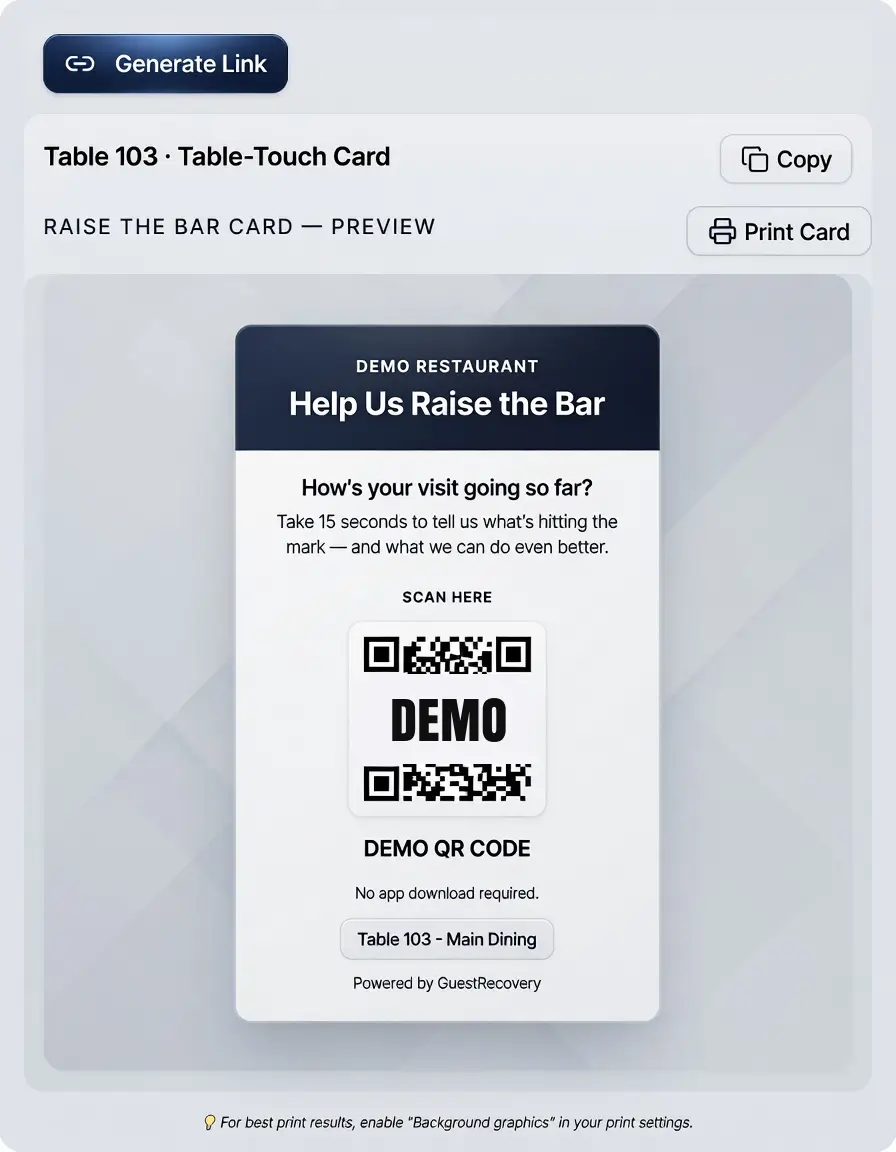
Why it matters
A QR prompt should not feel like a complaint form. It should feel like the restaurant is saying: “We care enough to ask while you are here. Tell us what is perfect, what could improve, and what would make this experience even better.”
Guests can share honestly without being pushed toward a public review platform before the restaurant has a chance to respond.
Guests can praise the team, suggest improvements, share menu ideas, or quietly mention something that feels off.
A table tent, receipt, host stand card, or exit prompt can each identify where the signal came from.
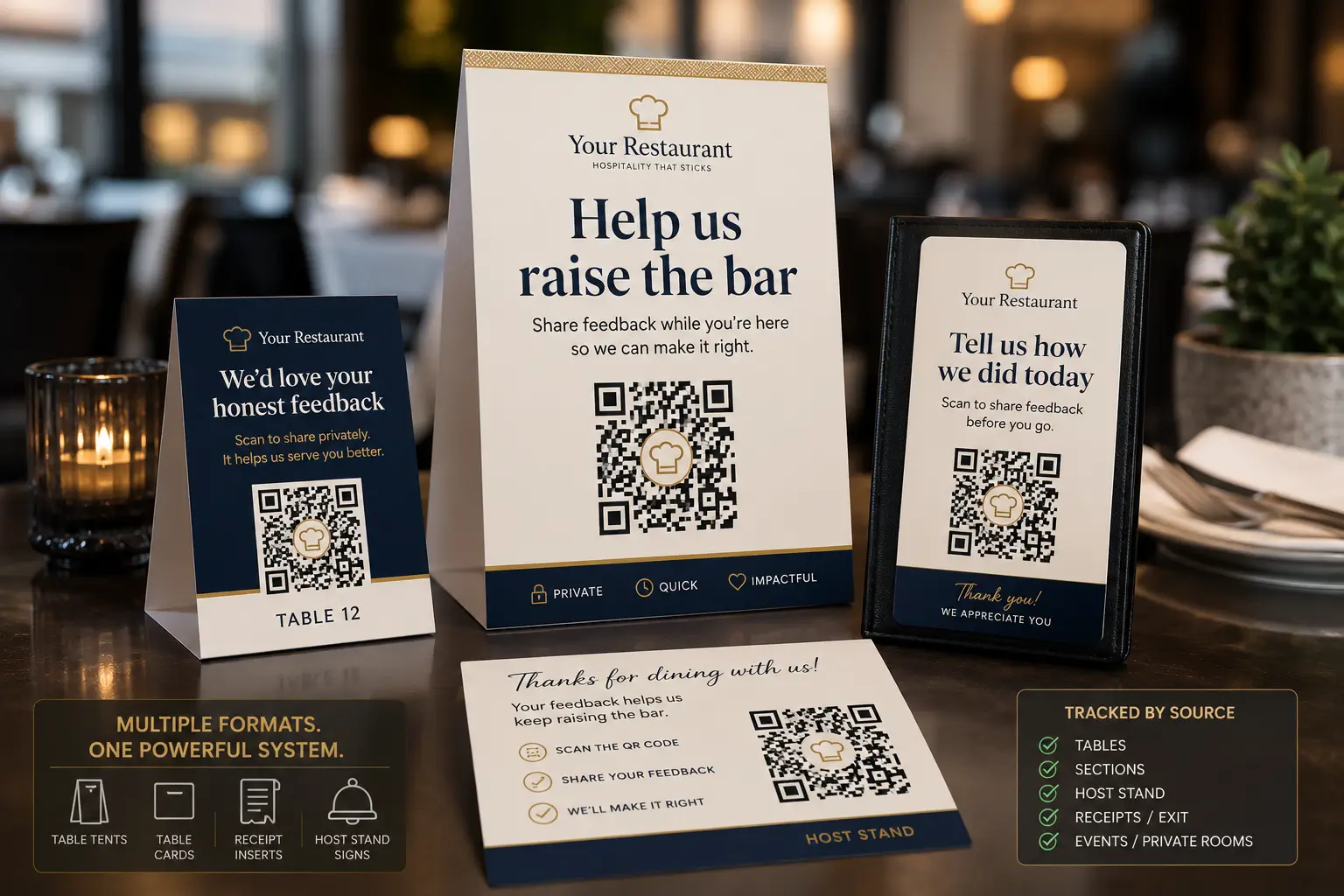
Prompt placement
GuestRecovery can support multiple prompt types because not every guest shares feedback at the same time. A table prompt can catch an issue during the meal. A receipt or exit prompt can catch a guest who stayed quiet until the end.
Source tracking
A QR code is simply a smart link. GuestRecovery can use table-specific or source-specific links so the dashboard understands where the guest signal started without making the guest type unnecessary details.
01
A table QR can identify Table 12, Table 103, Patio 4, or another restaurant-defined location.
02
A code can identify whether the guest scanned a table tent, table-touch card, general QR, receipt, exit sign, or host stand prompt.
03
When a less-than-4-star signal comes in, management sees useful context: source, category, rating, guest note, and recovery status.
04
Over time, source tracking helps reveal which prompts produce praise, ideas, at-risk feedback, or recovery opportunities.
No POS required
GuestRecovery can begin with QR prompts, source tracking, manager alerts, and recovery notes without requiring POS integration. That matters for busy operators who want to test the system without waiting on vendors, passwords, permissions, or corporate IT delays.
The psychology
The prompt should never make a guest feel like they are creating drama. “Help us raise the bar” gives them permission to share praise, ideas, and honest feedback in a way that feels helpful instead of confrontational.
Sends the guest toward a public platform and often captures only the very happy or very frustrated.
Can make guests feel like they are complaining, which many guests avoid during a meal.
Invites the guest to participate in better hospitality, whether they have praise, a suggestion, or a concern.
Staff adoption
The restaurant team should see the card as a hospitality tool, not a “gotcha” tool. It can capture praise, help managers save a table, and give servers a better way to show that the restaurant actually wants guest input.
How it connects
The scan is only the entry point. The value comes from what happens after: signal sorting, less-than-4-star manager alerts, recovery tracking, praise logging, and owner reporting.
The guest can share praise, ideas, suggestions, or a less-than-4-star experience signal.
Praise and suggestions are saved. Less-than-4-star experiences alert management.
Live recovery gives the team a chance to respond while the guest may still be present.
Source and category data become part of the Experience Gap Report.
FAQs
They can use either. A general QR can collect broad feedback. Unique QR codes can identify tables, zones, cards, receipts, exits, or prompt sources.
No. GuestRecovery can start with smart links, source tracking, manager alerts, and recovery notes without touching the POS.
Less-than-4-star experiences can immediately alert management so the team has a chance to respond before the guest leaves.
Yes. Guests can leave praise, server shout-outs, menu ideas, suggestions, and other feedback that helps the restaurant improve.